
Password programs for the robot safe
This program lets the robot Safe be opened with a password, and demonstrates how passwords can be stolen.
- #igjfex
- 22 Mar 2019
This program lets the robot Safe be opened with a password, and demonstrates how passwords can be stolen.

With this program you can drive the Truckie or every robot with the same port settings. It is easy to drive with that set up because you use the left stick to control the speed and the right stick to steer. The benefit according to Truckie Hard To Drive VEX IQ Program for Modkit is that this set up uses both sticks to control the movement. Probably you will use this stick setting in the VEX competition and practicing this type of setting will be very useful for your driving skills to grow. Ones you have master this driving technic you will be more relaxed while you are on the competition.
After you feel satisfied with your driving skills and you have accomplished all the goals you can continue with the competition driving program settings.
This program is mainly for controlling Truckie VEX IQ robot.

This program can be used to control the Advanced Truckie. This programs include the use of the R UP and R Down Butons on the VEX Controller. It lifts up and down the arm of the Advanced Little Truckie.
With this program you can drive the Truckie or every robot with the same port settings. It is hard to drive with that set up because to have the robot move in the right direction you need to be very precise with the stick. The part of the problem is that this set up uses only one stick to control the movement. You have to chose left or right stick. If you use both it will be a great mess. It is not impossible but it is very hard to do. You probably will never use this stick setting in the VEX competition but practicing this type of setting you will become very precise with the controls and your driving skills will grow a lot. Ones you have master this driving technic you will be more relaxed while you are on the competition.
After you feel satisfied with your driving skills and you have accomplished all the goals you can continue with the competition driving program settings like Truckie - Easy To Drive VEX IQ Program for Modkit.
This program is mainly for controlling Truckie VEX IQ robot.
The programs are designed to be used with Mintonet - a LEGO Volleyball robot.The project consists of several programs:

This is a program that sets the VEX IQ Controller to control the Roberto Bot With Four Bars Lifting Mechanism, and also Sports Chassis With Eight Bar Lifting Mechanism - VEX IQ Robot.

This is a program that sets the VEX IQ Controller to control The Roberto Bot chassis with Modkit for VEX. This program can be used and for other robots/chassis.
The robots are available at:
This is a program for communicating with LEGO Mindstorms Bluetooth between two bricks. The goal of the program is to control one of the bricks with another brick. The controller has two touch sensors that control the direction and two buttons on the brick itself that control the power.
The control brick has two motors attached that are controlled.
The goal of this program is to be used as an example of how to use the EV3-G Bluetooth. Yes, it requires two bricks, but most of the schools have two bricks and could test the program.
These are the programs for our boxing robots and their Joysticks. They are made for a game of two fighters with their respective joysticks, fighting until one is knocked out or its "heart" touch sensor is punched by the other robot. The fighters require the two "leg" motors to be connected on ports B and C and the hand medium motors on port D. The touch sensors should be connected on port 1, however keep in mind that the game may be better without them. The distance sensor has no purpose in the program as it is used only for aesthetics. The joysticks require the motor for forward and backward to be connected on port B and the motor for left and right to be connected on port A. The touch sensor operates the hands and must be connected on port 4.

Part of the Perfect STEM course, you should have a Raspberry Pi, a button connected on GPIO 26 and 3.3V, and two motors connected to GPIO 27, GPIO 22, GPIO 23 and GPIO 24.

Part of the Perfect STEM course, you should have a Raspberry Pi and a HC-SR04 distance sensor connected to 5V, GPIO 5, GPIO 6 and GND.

Part of the perfect STEM course, this program needs a Raspberry Pi, a button connected on GPIO 26 and 3.3V, and an LED connected to GPIO 18.

Part of the Perfect STEM course, you should have a Raspberry Pi and an LED connected on GPIO 18 for this example to work.

EV3 PLF-block for LEGO front-wheel steered robots. The block has two relaxation coefficients – one for steering to the left and one for steering to the right. The aim is to make the robot follow a line smoothly when the color sensor is positioned closer to one of the wheels.
The block has the following parameters from left to right:

The block has the following parameters from left to right:

The block has the following parameters from left to right:
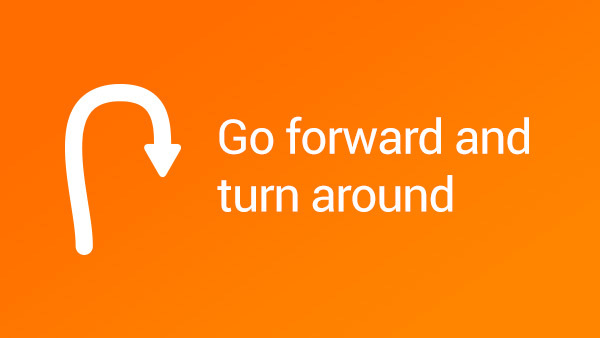
Example of making turn using the steering option of the move block

Proportional implementation for keeping the LEGO Mindstorms robot straight. The program will take the value of the Mindstorms Gyro sensor and will apply this value to the steering block. This will make the robot steer in a direction that would put the robot in a straight position again.

The experiment contains a plot of the Curren Power of Motors B and C and the values of the Gyro Sensor when the robot is moving with a power of 100%. What you could see is that it is not actually moving with a power of 100% because the current power is about 75-80%.

In this program, we return the robot to a straight orientation at the end of the program. If there is not enough time for the Mindstorms Gyro sensor the correct the orientation of the robot before the end of the program, then we should do it at the end.