

Spin turn with LEGO SPIKE Prime Word blocks robots
Here we will learn our first turn, namely a spin turn!
- #2023
- 01 Jul 2022
Here we will learn our first turn, namely a spin turn!

In this tutorial you will learn how to use tasks where you have to write text.

In this tutorial, we will learn what the start block does when starting the program and where to find it.
In this tutorial we will learn what the first purple movement block does.

On the topic of following lines with a robot there is a way to make the robot follow the line a little more precisely. This method is called "Multi-states" program. Or at least we call it like this. In this tutorial you will see how we program 5 state for the robot line following program. This could be particularly important with FIRST LEGO League competitions where we must build consistent and reliable robots.

In this video tutorial we demonstrate the classic algorithm for following a line with robots. It is widely used in FIRST LEGO League competition and could be applied to LEGO Education SPIKE Prime and to other robots also. The algorithm follows a line by moving to the left and to the right and trying to stay at the edge of a black line.
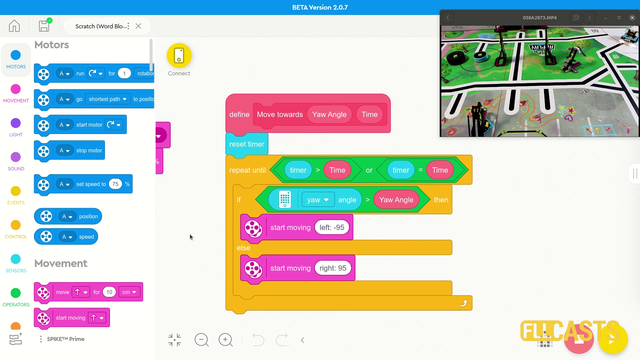
In this video tutorial we use the LEGO Education SPIKE Prime Motion Sensor to reach a mission model on the field. It's a basic use of the motion sensor that we will extend in the next few tutorials and in the same time we take the opportunity to demonstrate what a MyBlock is and how to develop one. As a result of this video you will learn how to make the program easier to read and maintain by organizing the blocks in the program in special MyBlocks that couple them all together.

One of the easiest ways to improve the accuracy of LEGO Education SPIKE Prime robots is to use acceleration and deceleration when moving. This also applies to LEGO Mindstorms EV3 and LEGO Mindstorms Robot Inventor and generally to most robots that we know of. This tutorial demonstrates how acceleration and deceleration could be used and what improvement in accuracy and consistency you could expect. This is quite useful for FIRST LEGO League and other robotics competitions.
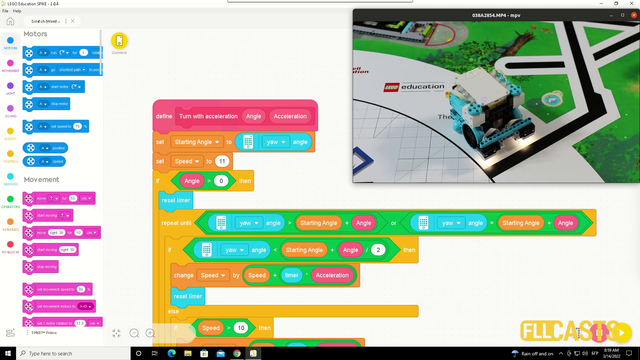
In this video tutorial we explore acceleration and deceleration and how to make the robot turn precisely by using acceleration and deceleration. The goal is for us to demonstrate a program that turns the robot to 90 degree. In the first 45 the robot is accelerating and in the second 45 it is decelerating.
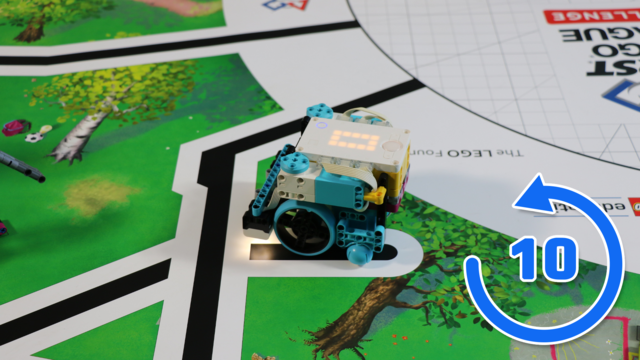
This LEGO Education SPIKE Prime video tutorial demonstrates the difference in turning slow and turning fast and using the Motion sensor to understand the orientation of the robot. We do 10 consecutive runs. The goal is to understand what can you expect from the robot behavior in terms of consistency.

Is it better to do fast turns or slow turns? Should you save some time by turning fast or should you be more precise by turning slow. Where is the balance? This video tutorial demonstrates exactly this for LEGO Education SPIKE Prime robot, their motion sensor and an ever occurring question on FIRST LEGO League competition which is how to find the balance and where is the balance.
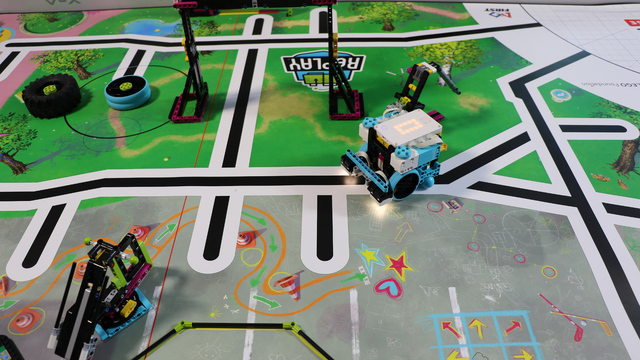
This is the first, but not the last video tutorial of the course where we reach a specific mission model in a consistent way. We use the Motion sensor and only some basic principles like turning to an angle. If we use the principles in this tutorial and then build an attachment for the mission model we will have a pretty consistent way of accomplishing the FIRST LEGO League mission

In this video tutorial we look at Acceleration and Deceleration with a LEGO Education SPIKE Prime robot. The goal of the tutorial is to demonstrate the accuracy of the robot when we us default acceleration and slow acceleration.
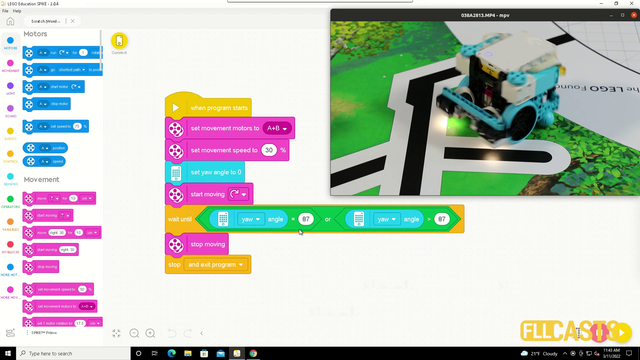
In this video tutorial we demonstrate the use of the motion sensor and how it could be use to turn precisely to 90 degrees. We demonstrate some of the caveats of the sensor and how sometimes it does not work as expected. Like you set the robot to turn until the sensors detects 90 degrees and at the end the robot is not at exactly 90 degrees.

This videos tutorials demonstrated the robot accuracy in 10 runs one after the other. 5 of them are with the robot moving slow and 5 are with the robot moving fast. See for your self what is the accuracy achieved only with the move blocks of the robot.

In this tutorial we demonstrate how accurate the robot is when we are moving it slow vs when moving it fast. The point of the tutorial is to show that moving slowly is generally much more accurate. It is not accurate enough for a FIRST LEGO League competition, but if you have to move without the use of the sensors you can at least move slow.

This video tutorial demonstrates the accuracy and consistency of the robot behavior when we use only the blocks for moving the robot without any sensor. Spoiler alert - the robot is not consistent and it is not accurate.

In this video tutorial we start with the basic of the basic, eg. how to move. We use the block from LEGO Education SPIKE Prime Word Blocks software. It is based on Scratch. The goal of the tutorial is to demonstrate how we can move and to teach something very important - the robot moves inaccurately

This is a 10 out of 10 video tutorial that is different from the rest. We demonstrate how difficult it is to accomplish a mission and we use an attachment that is working 5 out of 10 times. Our goal with the video is to give everybody the understanding that taking your time to accomplish a mission is the right thing. Most of the 10 out of 10 tutorials at FLLCasts contain solutions and approaches that are working in a repeatable fashion. Not this one. See how difficult it is to accomplish a mission and that we also make mistakes.

The dance mission is one of the most straightforward and easy missions to complete at the FIRST LEGO League competitions. This one is from RePLAY competition. The goal is to reach a specific place on the field and dance with the robot. You will see how we dance and have fun with our robot. Never forget to have fun during the competitions.

This FRIST LEGO League video tutorial is about he Boccia Share mission from FIRST LEGO League 2020 RePlay competition. In the tutorial we demonstrate how to push on a lever to release a mission model part - in this case a box. You have the choice before the competition to cooperate with the other team and to decide if you are going to do the blue or the red box.

This FIRST LEGO League robotics video tutorial is about the Treadmill mission and how it could be accomplished. The mission is from FLL 2020 RePlay competition. Almost every year there is a mission of this type where the robot must spend a lot of time with the mission model in order to turn or lift something. These are quite interesting and challenging missions.

In this video tutorial we accomplish a robotics competition mission model and we accomplish it 10 out of 10 times. The mission is Pull-up from the FIRST LEGO League 2020 RePLAY competition. The goal of the mission is to pull up the robot on the bar. The robot must not be touching the ground.

In this FIRST LEGO League video tutorial we accomplish the Step Counter mission from the FLL 2020 RePlay mission. The mission model is quite interesting as it can not be pushed fast and it can not be pushed slowly, because it will jam. The robot must push it with the right speed and this proves to be difficult.

The Cell Phone mission is part of the FIRST LEGO League 2020 RePlay competition. The goal of the mission is to flip the Cell Phone. In this video tutorial we use a LEGO Education SPIKE Prime robot to flip the cell phone. This mission is similar to the FLL 2017: How to accomplish Manhole Cover (08th) Mission in FIRST LEGO League 2017-2018.

In this video tutorial we accomplish the basketball mission from the FIRST LEGO League 2020 reply competition. We use the LEGO Education SPIKE Prime competition robot called Gazon. You will learn the principles of accomplishing a mission of two parts - put the ball in the basket and lift the basket.